How to Add More Photos to an Issue
Site Report Pro allows up to eight photographs per issue, enabling comprehensive documentation from multiple angles and timeframes.
You can attach up to 8 photographs per issue. There are two ways to add photos.
Method 1: Add Photo from Issue
1 Tap the issue
Tap the issue you want to add a photo to.
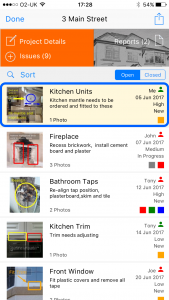
2 Tap a blank photo icon
Tap a blank (grey) photo icon on the issue card.

3 Choose photo source
Choose to take a new photo or select from your photo library.

Method 2: Add Photo to Existing Issue
4 Tap Add to Existing Project
After taking a photo, tap Add to Existing Project.

5 Select the project
Choose the project.
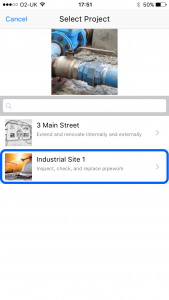
6 Tap Add to Existing Issue
Select the option to add to an existing issue.

7 Select the issue
Choose the issue to add the photo to.