How to Purchase the Full Version
The Trial (Free) version of Site Report Pro allows up to 3 projects with 6 issues each. Purchase the full version via in-app purchase to unlock unlimited projects (up to 500 issues per project) and remove all branding.
Method 1: From the Projects Screen
1 Tap the + button
Tap the + button to add a new project. If you've reached the free limit, you'll see a prompt to upgrade.

2 Complete purchase
Follow the prompts to complete the in-app purchase.

Method 2: From Settings
3 Go to Settings
Open the Settings screen.
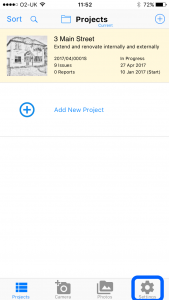
4 Tap Site Report Pro
Select Site Report Pro from the settings list.

5 Tap In App Purchases
View the available purchases.

6 Purchase
Tap to purchase the full version.