How to Change Terminology Used by Site Report Pro
Customise the terminology used by Site Report Pro to align with your industry-specific or business language preferences.
Customise the labels used throughout the app to match your workflow. Rename 'Projects' to 'Inspections', 'Issues' to 'Snags', and more.
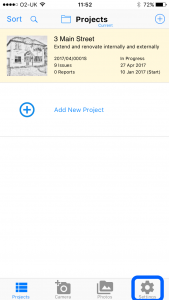
1 Go to Settings
Open the Settings screen.
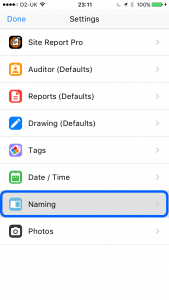
2 Tap Naming
Select the Naming option.
3 Edit the labels
Edit the labels for projects, issues, reports, statuses and other terms as needed.

4 Tap Done
Tap Done when finished.