How to Restore Purchases
Any in-app purchases made on one iOS device can be restored on all your other iOS devices that share the same iTunes account.
1 Download the app
Download and install Site Report Pro on your other device.
2 Open Settings
Open the app and go to Settings.
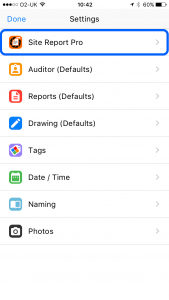
3 Tap Site Report Pro
Select Site Report Pro.
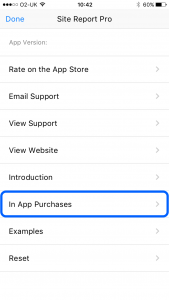
4 Restore Purchases
Tap In App Purchases and then tap Restore Purchases.

5 Enter password
Enter your iTunes password when prompted.