How to Search for an Issue
Quickly find specific issues within a project by searching by name, tags or other details.
1 Reveal the search bar
Open a project and pull down on the Issues list to reveal the search bar, or tap the search icon.

2 Type your search term
Type to filter issues by name, tags or other details.

Issue Filter
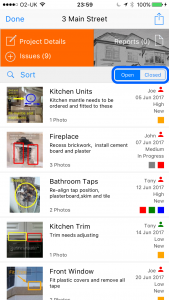
You can also quickly filter the issue list to show only Open or Closed issues by tapping the filter buttons at the top of the issues list.
3 Use the filter buttons
Tap the Open or Closed buttons at the top of the issues list to filter by status.