How to Share or Print a Report
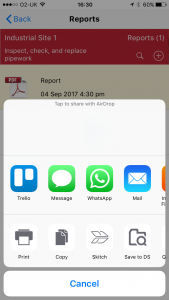
Once a report is generated, you can share it via email, AirDrop, Messages or save to third-party services like Dropbox.
Method 1: Share from Report Preview
1 Tap Share from preview
After generating a report, tap the Share button from the report preview screen.

Method 2: Share from Reports List
2 Tap Share from list
On the Reports screen, tap the Share button next to the report.

3 Choose sharing method
Select your preferred sharing method from the share sheet.