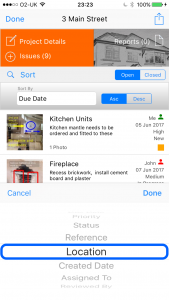
How to Sort Issues
Site Report Pro allows you to sort your issues to make it easier to find what you are looking for.
1 Select a project
Open a project to view its issues.

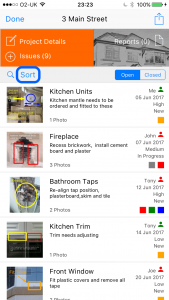
2 Tap the Sort button
Tap the Sort button on the issues list.
3 Choose the sort field
Select the field to sort by such as name, due date, priority or status.
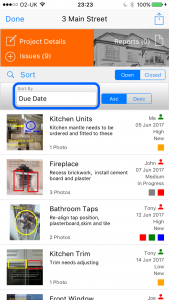
4 Select sort order
Choose ascending or descending order.