How to Create a Report
Learn how to create PDF and Excel reports in Site Report Pro.
1 Select the project
Open the project you want to create a report for.

2 Tap the Reports tab
Navigate to the Reports tab.
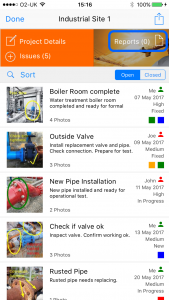
3 Tap Add New Report
Tap the Add New Report button.

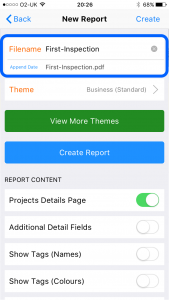
4 Enter a filename
Type a name for your report.
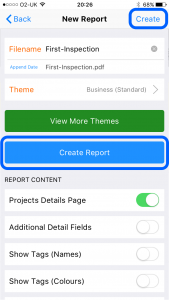
5 Tap Create Report
Tap Create Report to generate the report.
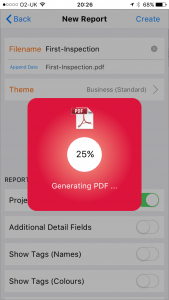
6 View and share
Your report will be generated. You can then view and share it.

Tip: Additional reports can be generated and stored for the same project, enabling a catalogue of reports to be maintained for subsequent viewing and sharing – very useful for maintaining a chronological history of progress. Reports are extremely configurable. See How to Customise My Report for details on content and styling options.
