How to Customise Your Report
Reports in Site Report Pro are extremely configurable, enabling the creation of reports that reflect your branding and provide you with comprehensive control over their content.
Report Themes
Site Report Pro offers 40 premium report themes to choose from. Each theme can be further customised to suit your needs:
- Choose from a range of theme colours to match your branding
- Select from multiple font options to customise the appearance of your reports
- Configure header and footer options including page numbering and dates
- Control photo timestamp display including dates and times
Report Content
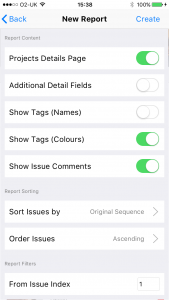
1 Configure report content
When creating a report, scroll to the Report Customisation section to configure report content.
Report Filters
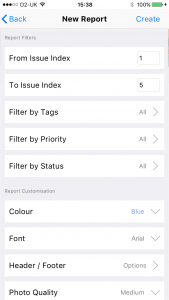
2 Set filters
Report filters provide a powerful way of generating reports for specific purposes. Filter by issue index range, tags, priority or status.
Report Sorting
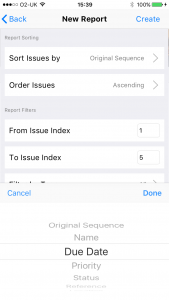
3 Configure sorting
Sort issues in your report by up to 10 different criteria including name, priority, status and location, in ascending or descending order.
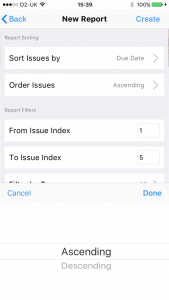
4 Set issue order
Set the order of issues in the report.
Tip: Your customisation choices are saved with each project and used as defaults for future reports. You can also set global defaults in Settings > Reports.