How to Sort Projects
Site Report Pro allows you to sort your projects to make it easier to find what you are looking for.
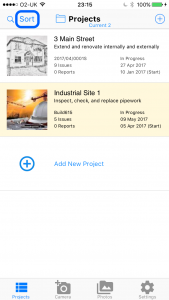
1 On the Projects screen, tap the Sort button
Tap the Sort button to open the sorting options.
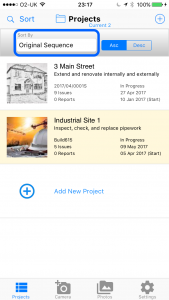
2 Choose the field to sort by
Select the field you want to sort by, such as name, date created or date modified.
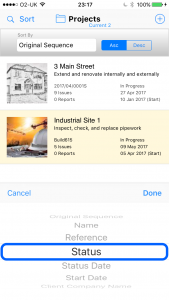
3 Select ascending or descending order
Choose whether to sort in ascending or descending order.
Tip: Projects that are no longer active can be moved to the Archive Folder.
View the Archive Project article to learn how to do this.
View the Archive Project article to learn how to do this.